


47 items | 4 visits

There are two official Docky PPAs. One with our bleeding edge version built from Docky trunk and one including the latest build of the current Docky stable branch.
The Docky Stable PPA is https://launchpad.net/~docky-core/+archive/stable . Use this PPA for the current, stable version of Docky.
To use the Docky Stable PPA, for Ubuntu 10.04 (Lucid Lynx) and later:
sudo add-apt-repository ppa:docky-core/stable sudo apt-get update sudo apt-get install docky
The VirtualBox User Manual is included in the VirtualBox binaries above. If, however, you would like to take a look at it without having to install the whole thing, you also access it here:
You may also like to take a look at our frequently asked questions list.
Development, Tips & Tricks - August 27th, 2010 - 8 Comments
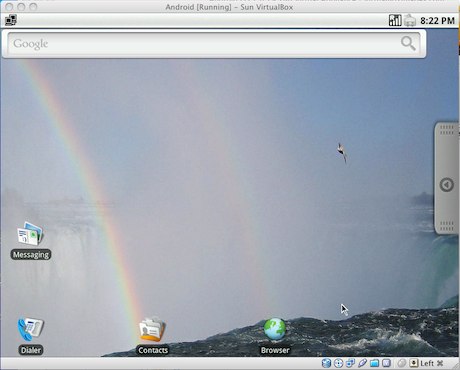
If you want to check out Android OS, you can download and run a pre-configured Android OS Virtual Appliance installation within VirtualBox. You’ll need a torrent client to download the virtual machine itself, and of course Virtualbox to run it.
You can download Android OS VM here and get VirtualBox here, both are free downloads.
You can also download the development environment for free from http://developer.android.com and run an emulated Android device on Mac OS X, Windows, or linux.
Thanks for your guys loving this project, for some reason, this project will freeze. You can go http://www.android-x86.org/ to get another awesome one, they make better. You can also mail to: liveandroid@gmail.com, we hearing you :)
Welcome to LiveAndroid, a LiveCD for Android running on x86 platforms.
The project to create a Live CD of Android is called LiveAndroid and can be found at Google Code: http://code.google.com/p/live-android/. The project has been running for just a couple of months, but they have already achieved an image that delivers Android, with support for the mouse since their v0.2 release.
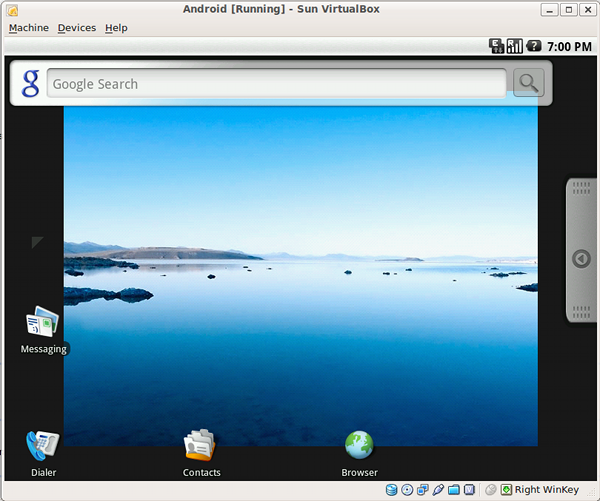
Instructions:
Step 1. Download the CD ISO image that has been split into two parts, which then have to be combined.
  |

 Posted: Wed Dec 05, 2007 7:00 pm Post subject: Magicjack support, tips, tricks, and hacks Posted: Wed Dec 05, 2007 7:00 pm Post subject: Magicjack support, tips, tricks, and hacks |
If you are not familiar with SIP, here is an explanation from Wikipedia:
The Session Initiation Protocol (SIP) is an IETF-defined signaling protocol, widely used for controlling multimedia communication sessions such as voice and video calls over Internet Protocol (IP)
Ok, lets get what we need:
47 items | 4 visits